
About View Modes of the Information Window
When you click a placemark on the map, an information window appears with information above the selected point. You can choose the level of detail that you want displayed in the window using the icons on the top-right corner of the window.
The modes are set as follows:
- Simple view: Shows the name and ID of the point. The mode is
represented by the downward arrow icon.
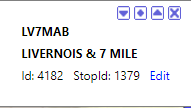
- Summary view: Shows the name, ID, and address of the point. The
mode is represented by the diamond icon.
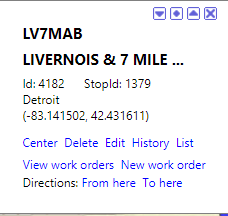
- Detail view: Shows the name, ID, address, amenities, and
attributes of the point. This mode is represented by the upward arrow icon.
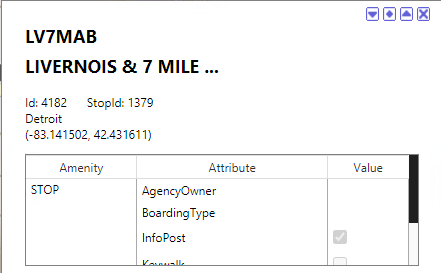
When you click a placemark, the information window appears in the view mode that was last selected. If you last viewed an information window in the Detail view, the next window you view will also be displayed in that mode.