
Comparing Runcuts
The Compare Scenarios feature allows you to see the differences in runcuts between the active scenario and a previously saved scenario.
You can compare runcuts from the active scenario and those from another scenario.
-
Click .
The Run Scenarios dialog appears. The scenarios in the current context are shown.
- In the grid, select the scenario that you want to compare to the active scenario.
-
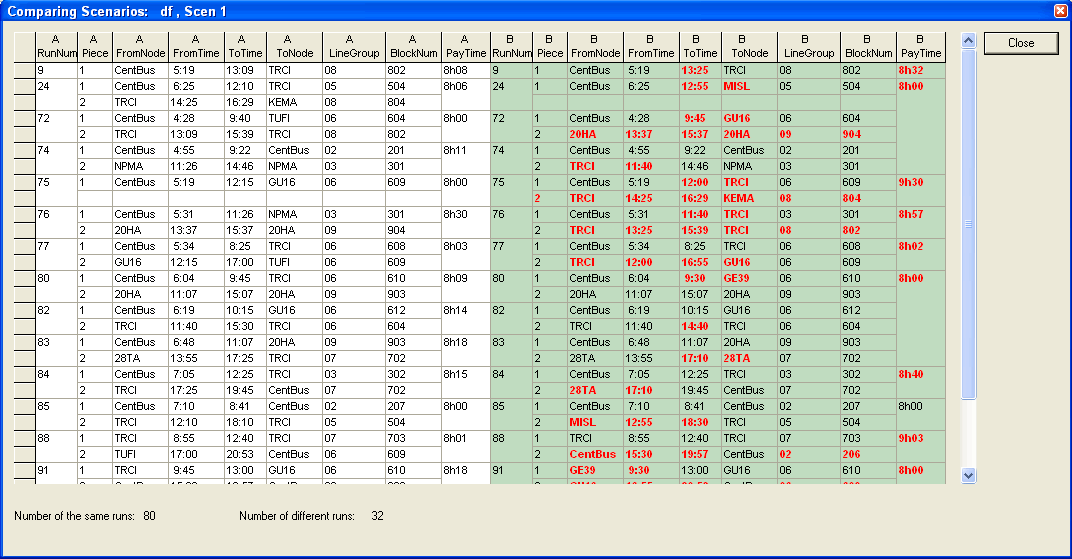
Click Compare Scenarios. The system compares the two scenarios
and the results are shown in the Compare Scenarios dialog.
The runs in the active scenario are shown in the A columns while the runs in the selected scenario are shown in the B columns (with the green background). The differences are highlighted in red.
- Click Close.