
Renumbering Runs
When renumbering runs, you can change the run number without changing the run name.
- On the Runs tab, select the run you want to renumber.
-
Click or click Renumber:
 The Renumber dialog appears. The number of the selected run appears in both the Current Number and New Number columns.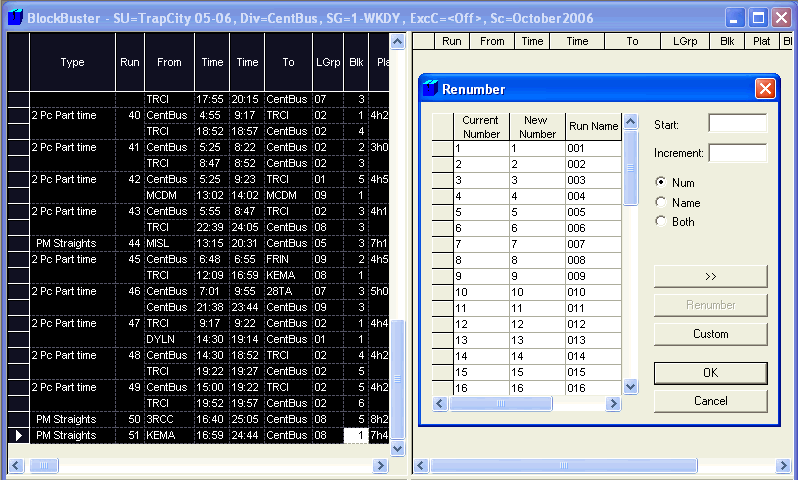
- In the New Number field, overwrite the number of the run with the new number.
- Optional: To update the run number or run name independently, select the appropriate option: Num or Name. The Both option is selected by default. When applied, the run number and run name are both updated. This option also applies to transit sites whose run names and run numbers are the same.
-
Click OK.
To customize your run numbers, contact your Trapeze representative.