
Viewing Run Scenarios
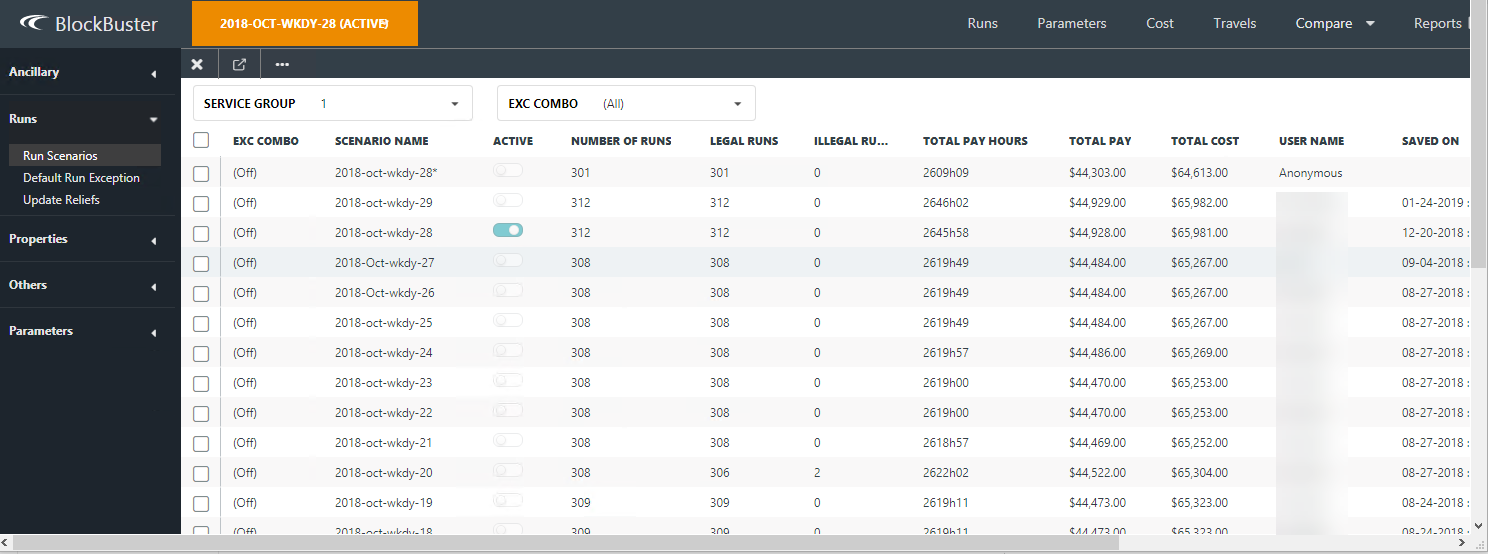
You can view your saved scenarios in the Run Scenarios screen.
-
On the main ribbon, click Settings.
A menu appears on the left section of the screen.
-
Click .
The list of saved scenarios are displayed in the grid.
-
To filter the data, click the appropriate values in the Service
Group and Exc Combo drop-down
lists.
The saved scenarios that match the selected filters are shown.