Each transit site whether a single agency or with multiple agencies must create Agency
ancillary data before using FX.
If your transit site uses multiple agencies to offer continuous transit service across several geographical areas, create ancillary data on these agencies before using FX.
-
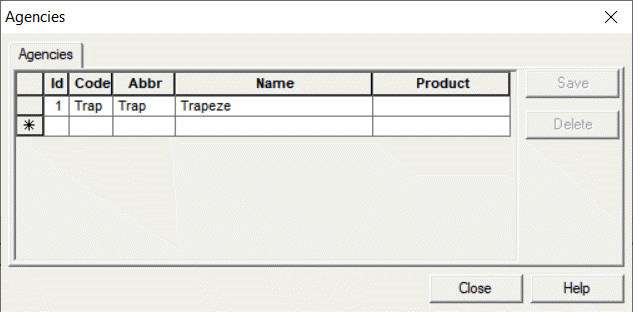
Click . The Agencies dialog box appears.
-
In the row which is marked by an asterisk(*), type an ID number in the
ID field. (The asterisk is replaced with an edit symbol to
indicate a new record.)
-
In the Code field, type an appropriate code.
-
In the Abbr field, type an abbreviation for the agency.
-
In the Name field, type the full name of the agency.
-
Click Save.
-
Click Close.
Once agencies are defined, create sign-up periods for each agency.