
Changing Costing Constants

You can set a new value for a selected costing constant within its specified Minimum and Maximum values.

  1. On the Runs tab, perform one of the following steps:
    • Click Runcutting > Costing > Costing Constants.
    • Click Costing ConstantsCosting Constant Button
    The Costing Constants dialog box appears.
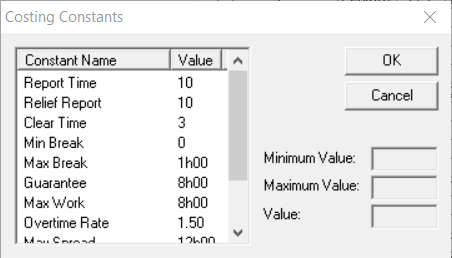
    Costing Constants dialog box
  2. In the left frame of the dialog box, select the constant whose value you want to change.
    The Minimum and Maximum values of the selected constant appear in the appropriate fields.
  3. In the Value field, type the new value within the range Minimum and Maximum values.
  4. Click OK.