Place text in quotation marks for exact match search results.
Determining Pattern Distances
FX provides distances only for patterns that have already been plotted (traced). The
total distance of the pattern and the distances between the nodes automatically appear in the
Patterns grid.
Click Route Definition > Edit or click Edit:
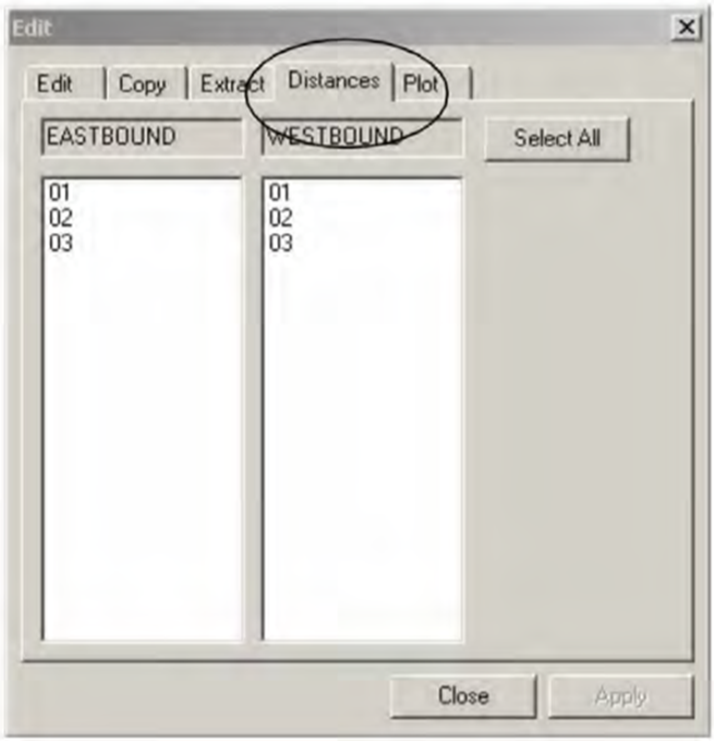
The Patterns Edit dialog box appears.
Select the Distances tab.
The patterns of both directions appear in the frames. (For circular routes, the
patterns only appear in the left frame.)
From the lists of patterns, select the patterns
whose distances have not been calculated.
Optional: To select all patterns, click Select All.
Click Apply.
The distance of the selected patterns appear in the Dist
(Distance) column in the Patterns grid. If a pattern has not been
plotted, a message appears stating that a pattern has not been plotted and distances can
only be given for plotted patterns.
Click Close.
Note: If a distance value is negative, the total distance is also shown as negative.
Negative values are shown in red and bold type in both the Pattern
and Stop Pattern screens.