When you delete a service or a service group, the scheduling data such as running times
and trips associated with the service and service group are also deleted in all sign-up
periods.
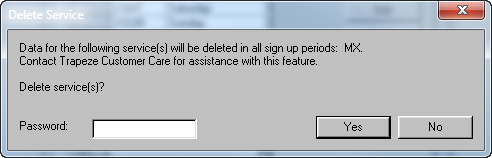
Select a service or service group, and then click Delete in the
Services dialog. A message appears advising you to contact your
Trapeze Customer Care representative. The following graphic shows the message that appears
when you attempt to delete a service:
Note: FX only lets you delete a service group if there are no services in that group. You
must first either delete the service in the selected service group or move the service
into another service group.