
Adding Service Groups
The Service Groups tab shows a list of service groups (one group per service with the same name as the default). To expand each group, double click on it in the table or select the Expand All checkbox.
-
On the Service Group tab, click Add.
The Select Service dialog opens.
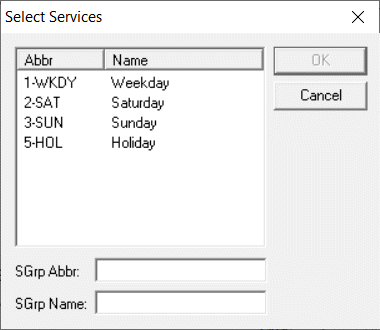
- Select the services that you want in this new group from the list. To select more than one, press CTRL.
- In the SGrp Abbr field, type an abbreviation for the new service group.
- In the SGrp Name field, type the full name of the service group.
- Click OK.