
Adding Services
Services are sign-up dependent which is why you must make sure you are working with the correct context (for example, sign-up period).
- Press F3 and set the context you want to work with.
-
Click .
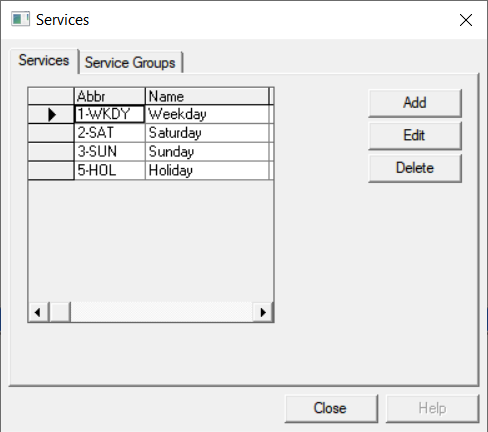
The Services ancillary data opens.
-
Click Add.
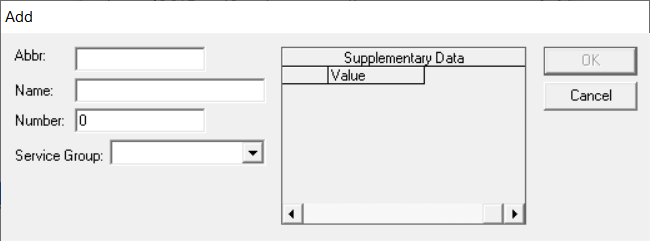
The Add opens.
-
Perform one of the following steps:
- In the Abbr field, type an abbreviated name for the service. The Service Group field is automatically populated with the same abbreviation as the service.
- From the Service Group dropdown list, assign another service group to the service.
- In the Name field, type a full name for the service.
-
In the Number field, type a day code for the service; for
example, 1 for Weekday, 6 for Saturday, and 7 for Sunday.
Check the policy at your site regarding services.
- Optional: Type any site-specific supplementary data as defined by your site as applicable.
- Click OK.