
Deleting Lines
You can delete line records of lines that no longer exist or are no longer required.
- In the Lines dialog, select the line that you want to edit.
-
Click Delete. The Delete Line message box appears, where the number (###) in the title bar represents the selected line number:
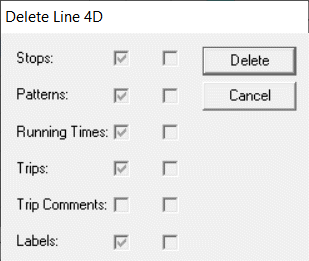
The message box shows you a list containing Stops, Patterns, Running Times, Trips, Trip Comments, and Labels. If the checkbox beside an item is selected, it means that the item is going to be affected by the deletion and removed if you continue.
-
Click Delete.
The checkboxes in the second column appear marked as each selected item is deleted.
- Click Close.