
Shifting Node to Node Run Times
The Shift tab allows you to shift node to node run times.
- On the Node to Node tab, search for the records of the node to node pairs that you want to shift.
- To view the records based on the criteria you selected, click Display.
- Select the node to node pairs whose run times you want to shift.
-
Click Edit:

The Edit dialog box appears.
-
Select the Shift tab.
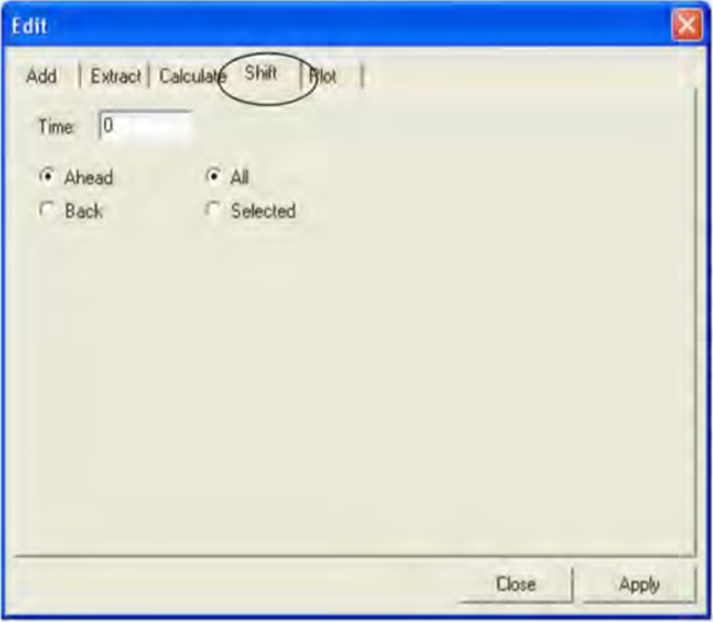
The Ahead and All options are selected by default. The Ahead and Back options indicate the direction of the shift while the All or Selected options determine whether all or only selected records will be shifted.
- In the Time field, type a time for which you want to shift the run time, for example, "5" for five minutes.
-
Select or deselect any of the following options depending on what you want to apply and to which records:
- Ahead: Increases the run times. This is the default.
- Back: Decreases the run times.
- All: Applies the change to all records on the Node to Node grid. This is the default.
- Selected: Applies the change to the selected records only.
-
Click Apply.
The results are shown in the Node to Node grid.
-
Click Close.
Note: Search the grid to make sure that the new run times are applied to the selected node to node pairs in all the related patterns.