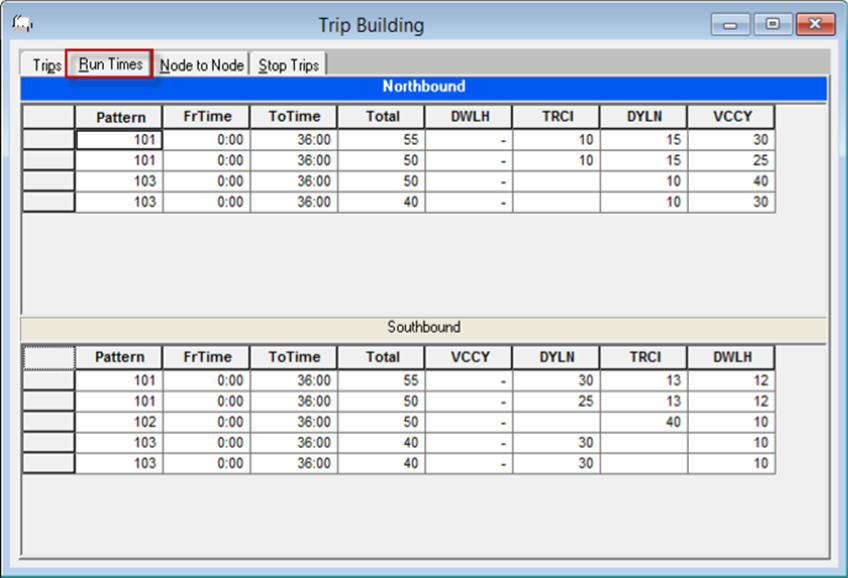
Run time intervals are the periods during a workday when a specific pattern operates,
for example, from 6:00 to 9:00.
Run times refer to the time a vehicle travels from one node to the next on the same trip. For
example, it takes a vehicle seven minutes to travel from Node A to Node B.
Set the run time intervals of your patterns and then assign the run times between nodes in
the pattern. If you have run times that are constant throughout the day, you only need to
create one run time interval for your patterns. If your run times vary then create several run
time intervals. For example, during the rush hour periods, vehicles take longer to get from
one node to the next due to heavy traffic. The run times of the trips during these busy period
are different from those at other times of the day.
Note: To display the stop abbreviations
instead of the node abbreviations in the column headings, click Trip Building > Show Stop Abbr. To display the node abbreviations again, open the Trip
Building menu and click Show Stop Abbr again.
The following graphic shows the Run Times tab:
You can view columns that are not shown on the screen. Click the horizontal scroll bar. Only
the columns that display times move to the left or right depending on how the scroll bar is
dragged. If you scroll to the right, the highlighted columns remain static while the columns,
starting with the first node appear to slide under the static columns and the hidden columns
would be displayed.