
Merging Run Time Intervals
If a pattern has two or more continuous run time intervals with the same run times throughout, merge these intervals to streamline your schedule.
The Layovers frame provides options, which apply to layover values, similar to those in the Run Times frame. The option NA (Not Applicable) means that none of the layover values are used.
- In the Run Times grid, press CTRL and click the run time intervals of the same pattern that you want to merge.
-
Click the Edit button:

The Edit dialog box appears.
-
Select the Merge tab.
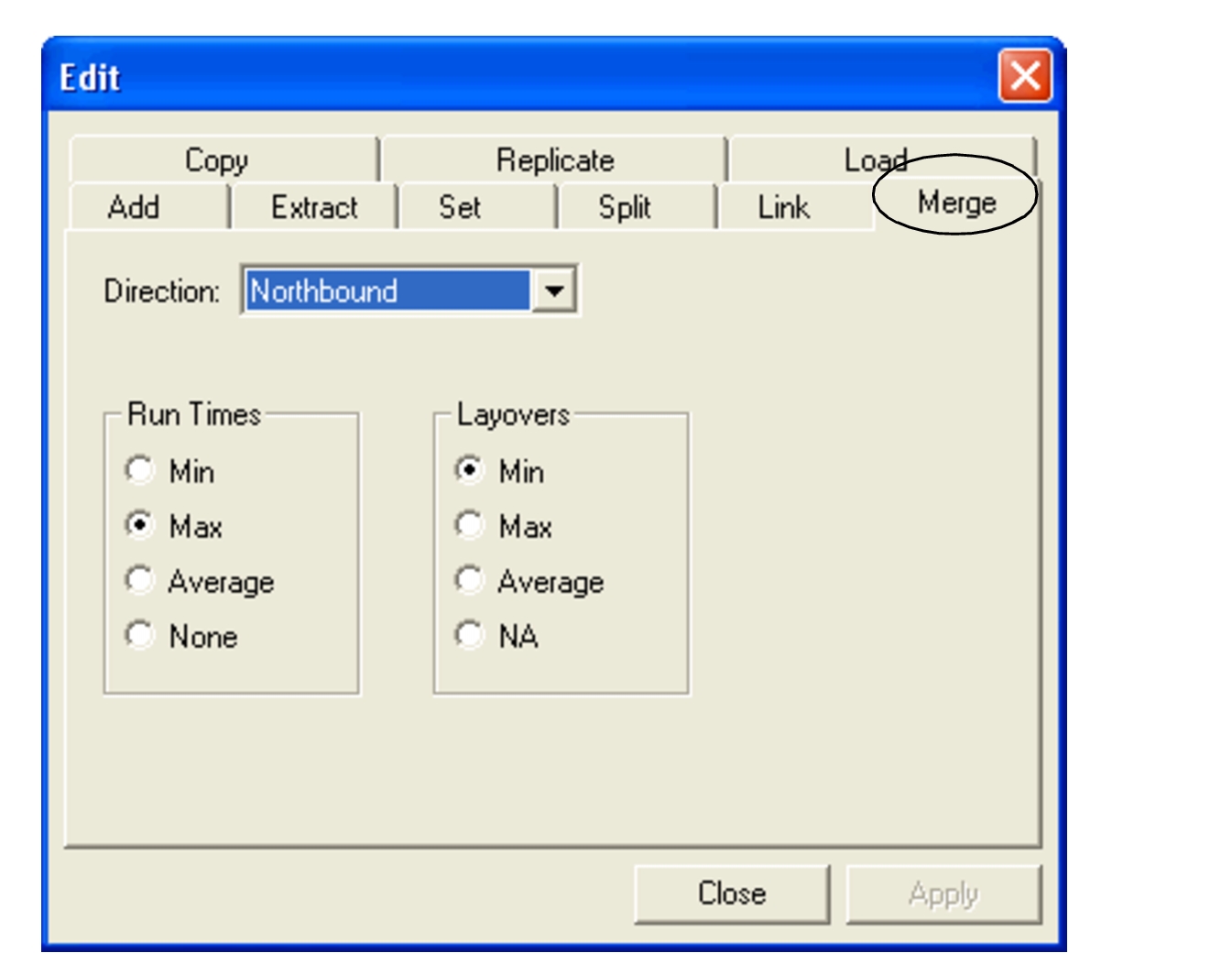
The direction of the selected run time intervals appears in the Direction field by default.
-
In the Run times frame, select one of the following values:
- Min: Minimum run time values
- Max: Maximum run time values
- Average: Average run time values
- None: None of the run time values
- Optional: In the Layovers frame, select the applicable value: Min, Max, Average or NA.
-
Click Apply.
On the Run Times tab, the merged run time interval appears with the first From time and the last To time of the selected run time intervals. For example, if you merge run time intervals: 7:00 to 9:00 and 9:00 to 11:00. The merged run time interval becomes: 7:00 to 11:00.
- Click Close.