
Linking Run Time Intervals
If one of your patterns has a gap between run time intervals, link the intervals to avoid producing trips that are non-compliant (without integrity).
An example when a gap occurs is when patterns have missing run times, missing name abbreviations or some nodes or stops have not been geocoded. Linking connects the two run time intervals. For example, one run time interval is from 5:00 to 6:00 and the next interval is from 6:15 to 2:00. A fifteen-minute gap exists between them.
- On the Run Times tab, press CTRL and click the run time intervals you want to link.
-
Click Edit:

The Edit dialog box appears.
-
Select the Link tab.
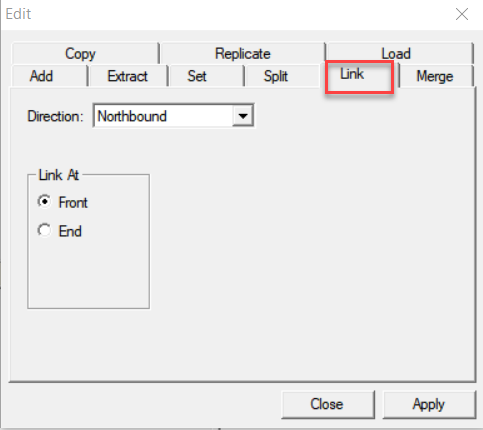
The direction of the selected run time intervals appears highlighted in the Direction field.
-
In the Link At frame, select the option to indicate how you want
to link the intervals.
- Front: The ToTime in the first run time interval you selected links to the FrTime of the second interval.
- End: The FrTime of the second run time interval that you selected links to the ToTime of the first interval.
- Click Apply.
- Click Close.