Viewing Street Names
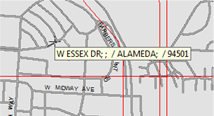
Street names on a map are displayed only when specific streets are clicked. When a specific street is clicked, its name and basic information are displayed, including alias, city name, minor civil division (MCD), and zip code.
To view street names, do one of the following steps:
- To always display street names on the map, click , or click the Map Label button:

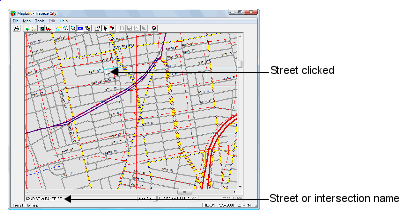
- To view a specific street name, click the street on the map. The street or
intersection name appears at the bottom left of the screen. the following graphic
illustrates
- To view basic information for a specific street, click the street and press the
mouse button. A label with the street information appears in the following
format:
Name;GlobalAlias;LocalAlias/City;MCD/State/ZIPCode
If some data values are not specified for the street, data values do not appear in the temporary frame. For example, in the following graphic, no global alias, local alias, MCD (Minor Civil Division) appear.