Showing or Hiding the Current Span

The current span covered by the map can be shown or hidden at the bottom right of the MapEdit screen. The span indicates the distance currently shown on the map.

  1. Click Tools > System Properties.
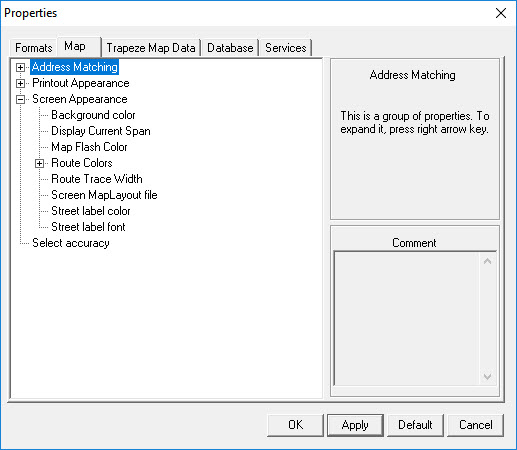
    The Properties dialog appears.
    Map Edit Properties
  2. On the Map tab, click the plus sign (+) beside Screen Appearance.
  3. Click Display Current Span.
  4. On the right side of the dialog, click Yes to show the current span or click No to hide the information.
  5. Click OK.