
Changing Query Pages
When you run a report, queries are executed in the order of their pages. You can change the order of tabbed query pages, rename query pages, or delete query pages from an SQL report.
-
In an SQL report, do one of the following:
- Select
- Select Settings:

- On the keyboard, press Ctrl and R.
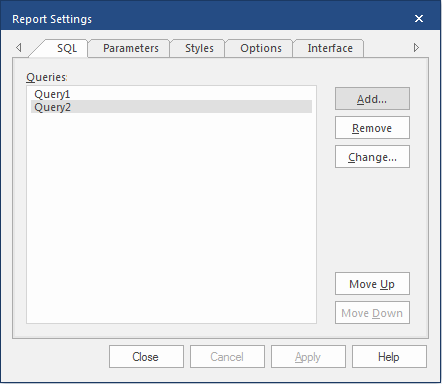
The Report Settings dialog appears. - Optional:
To move an SQL query, do the following:
-
In the SQL tab, select a query to move.
-
In the SQL tab, select a query to move.
- Optional:
To rename a query page, do the following:
- On the SQL tab, select the query to rename.
- Double-select the query name, or select Change.
- Enter the new name and select OK.
- Optional:
To delete a query page, do the following:
- On the SQL tab, select the query page to remove.
- Select Remove.
- Select Close.