
Encrypting PIN Information
If the system contains unencrypted PIN numbers, use the OPS Upgrade Utilities screen to encrypt them.
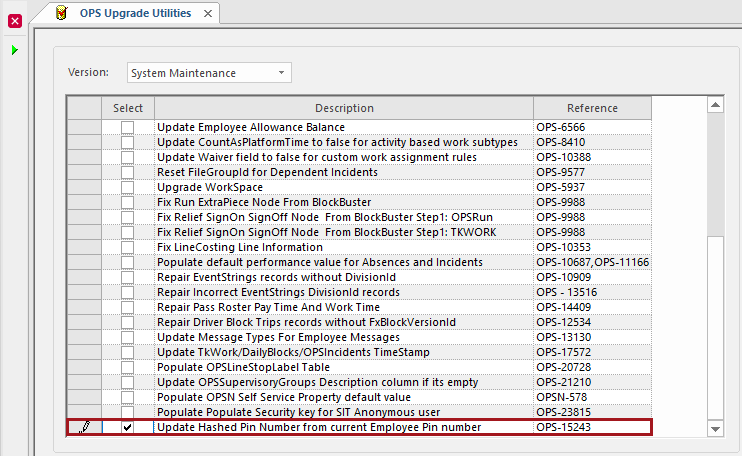
- Open the OPS Upgrade Utilities screen.
- Select Version: System Maintenance.
-
Select Update Hashed Pin Number from current Employee Pin number
(Reference OPS-15243).
-
Select Perform Upgrade Integrity Check:
