
Creating Banked Time Elections on Larger Screens
If your transit agency permits you to work overtime or holidays and bank those hours as future time off rather than getting paid, you can define which dates and hours to bank and at a later time create absence requests to use those banked hours.
-
In the navigation bar, select .
The Banked Time Elections page appears.
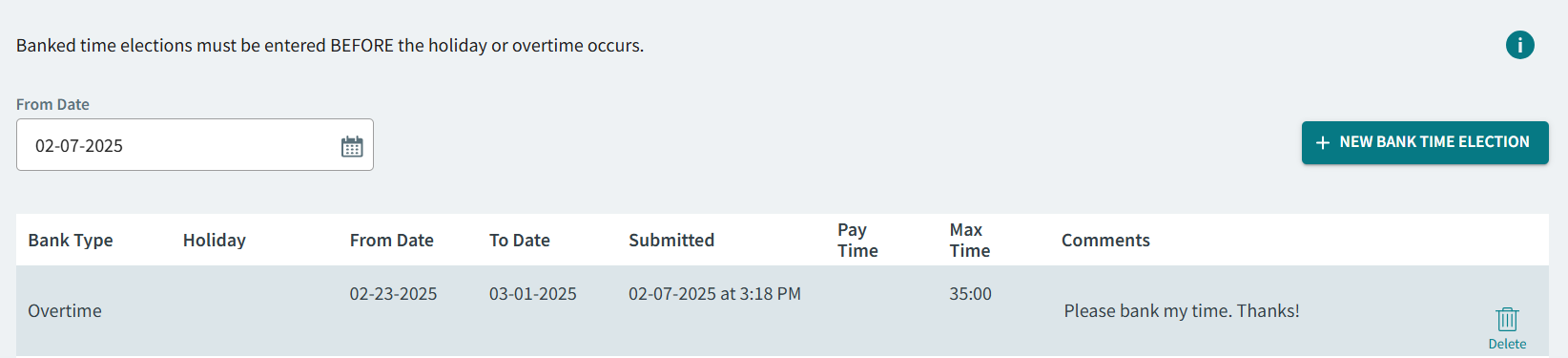
- Optional: Select a From Date for viewing previously created records.
- Select +New Bank Time Election.
- Select a Bank Type.
-
Select a Bank Year.
This is the accrual year for the banked time, not the year in which the time is used. The availability of banked time from different accrual years is based on your transit agency's policies.After selecting a Bank Year, new fields are shown.
-
Enter values for the fields that show for the selected Bank
Type:
- Pay Period. The pay period to use for the banked time election.
- Holiday. The holiday to use for the banked time election.
- From Date and To Date. The date range to use for the banked time election.
- Select a Pay Period.
-
Enter the Max Time using hh:mm format.
This is the maximum number of hours in the defined period that you would like to bank.
- Enter a Comment.
- Select Submit.
- Optional: To delete a banked time election record, select Delete.