
Deleting Multiple Messages
You can delete multiple messages at the same time, either only those selected or all of them.
-
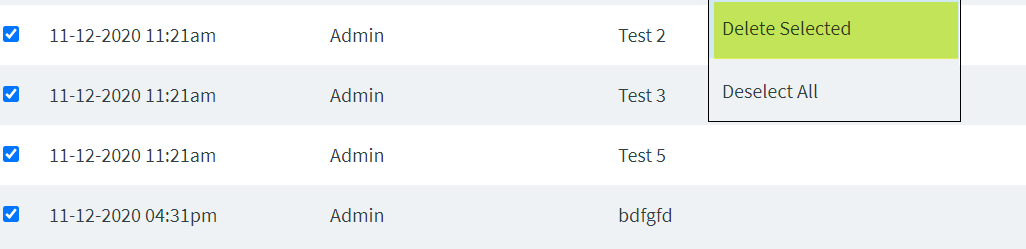
To delete selected messages, select the messages that you want to delete,
right-click one of them, click Delete Selected.
-
To delete all messages at once:
 To delete only some of the messages instead of all the messages after having selected them all, right-click anywhere on the screen, and then click Deselect All to save you time and effort if you have a long list. This clears the check marks from all the messages. Then, proceed to perform step 1.