
Adding Clients to Workers
You can add clients who require PASS-Web G3 assistance on the Clients tab of the Worker Groups screen.
- Sign in to WebCare.
-
On the Navigation pane, click Worker
Groups.
The Edit xxx Group dialog appears. (The xxx indicates the name of the selected worker group.)
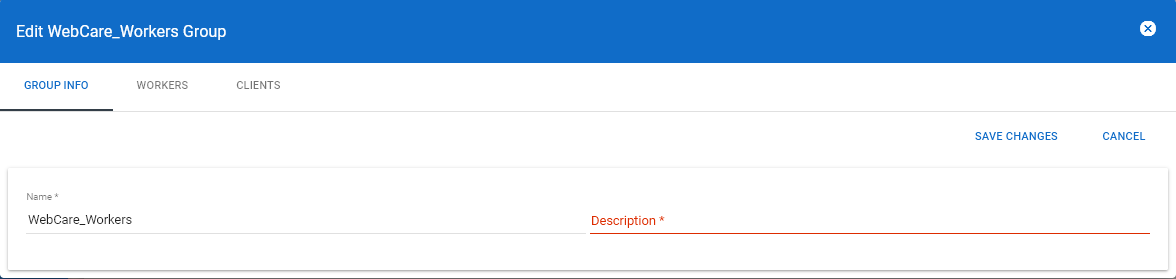
- Open the Clients tab.
-
Click Add Client.
The Add To xxx Group dialog appears.
-
Enter the client ID or client first name and last name, and then click
Search.
If the client record is found, it is shown in the search result pane.
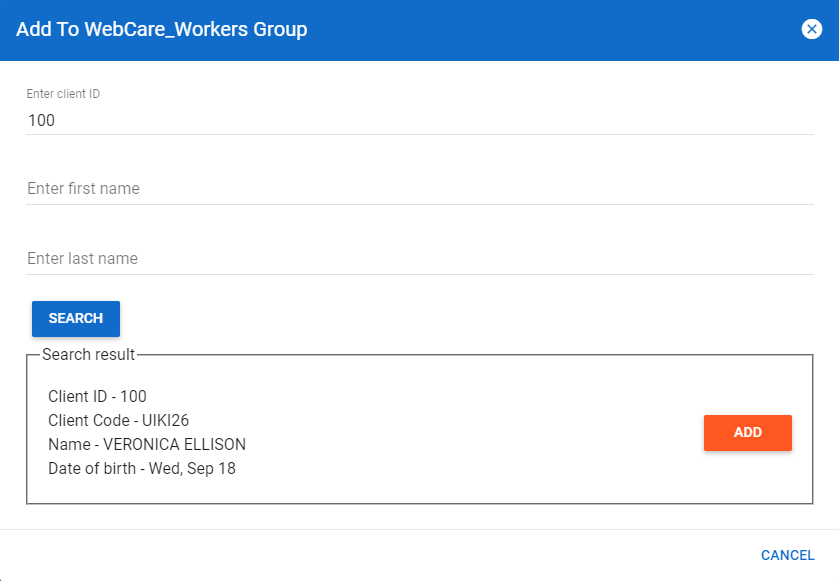
If no record is found, you are advised with a message shown at the bottom of the screen. Check if the client information is complete and accurate.
-
If the record shown is correct, click Add.
The client record is added on the Clients tab.