
Providing Workspace Access
Define the level of access users have to workspaces by assigning them their appropriate workspace role.
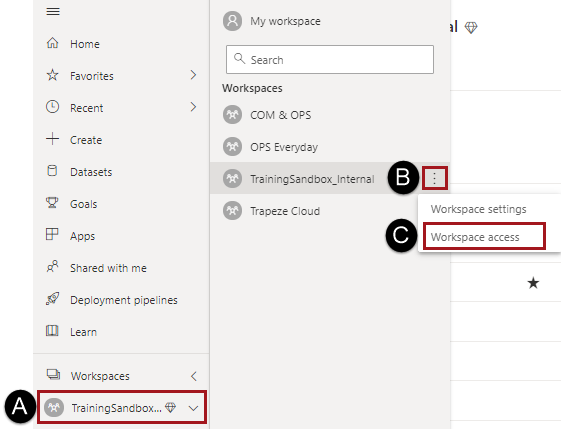
- In the navigation pane, select Workspaces.
-
Do one of the following:
- Select the ellipsis next to the workspace name and then
Workspace Access.
- Open the workspace and then select Access.

The Access pane appears.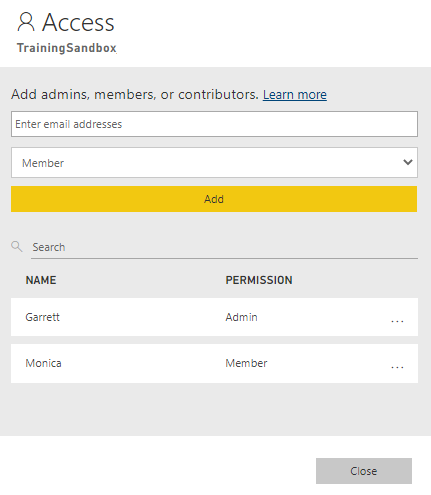
- Select the ellipsis next to the workspace name and then
Workspace Access.
- Enter the email address and access level for the user or user group and select Add.