
Calling a Passenger or Dispatch
You can call passengers when viewing passenger information on the Trip Details or Manifest screen.
-
To locate the call button.
- On the Trip Details screen, tap and hold any part of the screen
- On the Manifest screen, tap and hold on any event
- Tap the Emergency icon
A menu appears.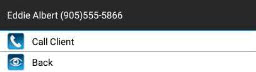
-
Tap the desired option.
The phone application opens and calls the number.
-
To end the call, tap the call bar at the top of the screen.
When prompted, tap Yes.