
Map Markers and Buttons
Markers on the map are a graphical indication of location. Buttons allow you to access map and navigation features.
| Marker/Button | Description |
|---|---|
 |
The current location of your vehicle. Based on GPS data. |
 |
Your current destination. |
 |
A filled in arrow indicates the screen item is selected. |
 |
Tap to center the map on your vehicle's current location. |
 |
Tap to center the map on your current destination. |
 |
Tap to toggle Google Traffic feed on and off. |
 |
Tap to see Google street view. |
 |
Tap to get turn by turn guidance from Google Navigation. |
 |
Tap to display a legend of the map markers. 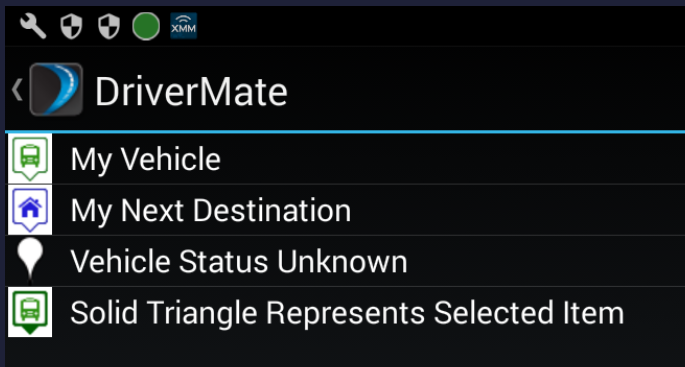 |