
Performing Group Trip Drop-Offs
You can mark an entire group drop-off as Performed.
-
Tap and hold the first passenger in the group.
The Group Trips screen is displayed.
-
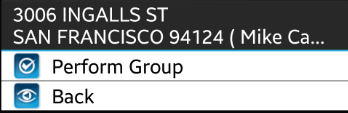
Tap and hold any event in the group.
-
Tap Perform Group. If the Group Perform Confirmation
property is enabled, a notification will appear prompting to you to confirm the
Group Perform operation.
Event information is sent to the dispatcher, and the events no longer appear in the Manifest.