
Creating Vehicle Service Requests
Vehicle service requests can be created if PASS is integrated with Trapeze EAM.
Procedure
- Click .
- Click the Select tab.
- Select the vehicle for which you want to create a service request.
- Click the Service Requests tab.
-
Click Create Service Request.
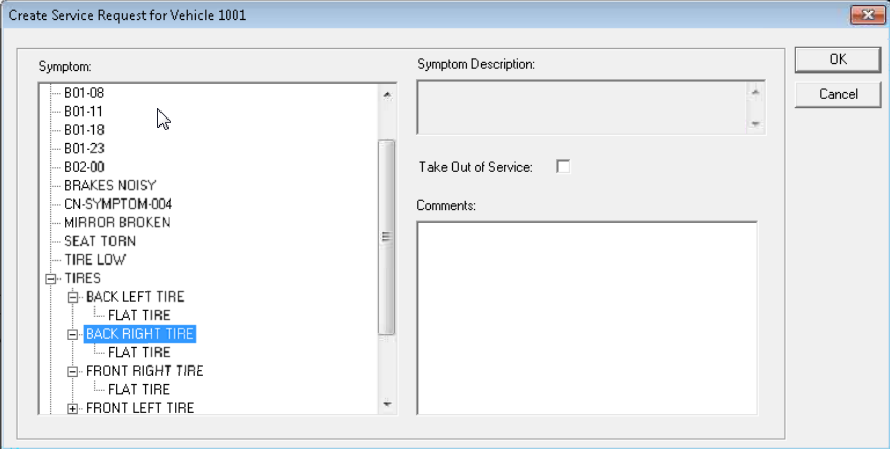
-
In the Symptom list, click a symptom.
The Symptom Description field is automatically populated.
- To take the vehicle out of service, select Take Out of Service.
- In the Comments field, type additional comments about the vehicle or service.
-
Click OK.
The service request is created.