
Using the Run Change Wizard to Update Runs
The Run Change Wizard can be used to change details about one or more runs.
Before you begin
About this task
When you use the Run Change Wizard, a warning message appears if your changes result in any violation.
Procedure
- Search for and select the runs to be edited.
-
Click the Run Change Wizard button:

The Run Change Wizard dialog box appears.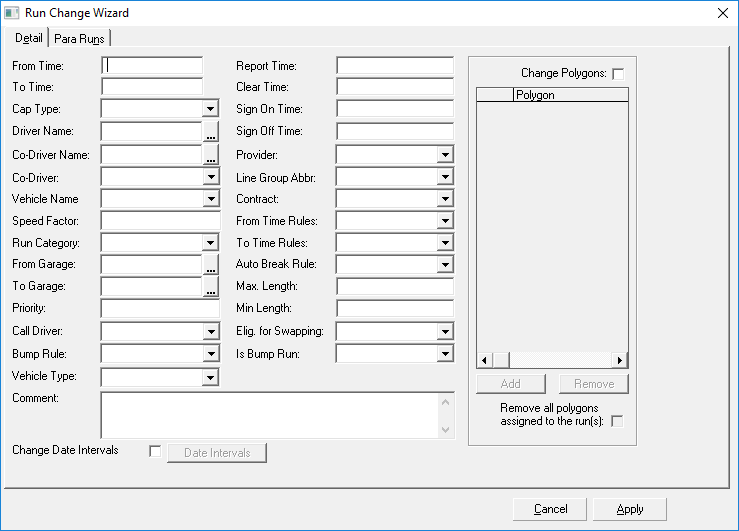
-
Fill in the values to update for the selected runs.
Options may differ depending on whether the change is for a Master run or a Daily run. For example, the Change Date Intervals option is only available for Master runs.
- Click Apply.
Results
If you specified a vehicle type that is not consistent with the run’s assigned vehicle, a message appears informing you that the vehicle's Vehicle Type will be used. Click OK. The new vehicle type is not assigned.
If your changes will result in violations, a dialog box appears warning that the operation will create violations for the run(s). Click OK to apply your changes (violations are recorded), or click Cancel to leave the runs as they are.