
Updating Bookings with Deposited Amounts
After depositing funds to a client's purse, any existing bookings for the client should be updated.
Before you begin
About this task
Procedure
- Search for and select a client.
- Click the Detail tab.
-
Click Update Bookings.
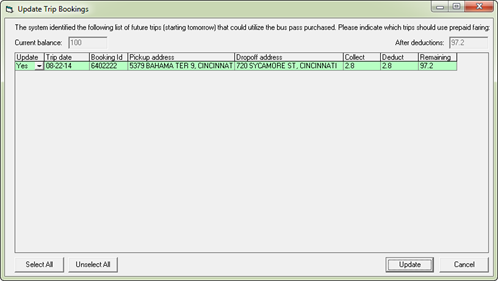
The Update Trip Bookings dialog box appears.
-
Select the trips to be updated with the new funds by updating the value in the
Update column for each trip.
Click Select All to select all trips (the Update column for all trips is set to Yes).
Click Unselect All to clear all trips (the Update column for all trips set to No) and select individual trips by clicking Yes in each trip's Update column.
The Current balance and After deductions fields at the top of the dialog box are updated as trips are selected and cleared. -
Click Update.
The Account balance field in the Fare frame is updated accordingly.
- Optional: To show only outstanding trips that have not yet been paid for, click Update Bookings again.