
About Reading the Dispatch Incidents Tab
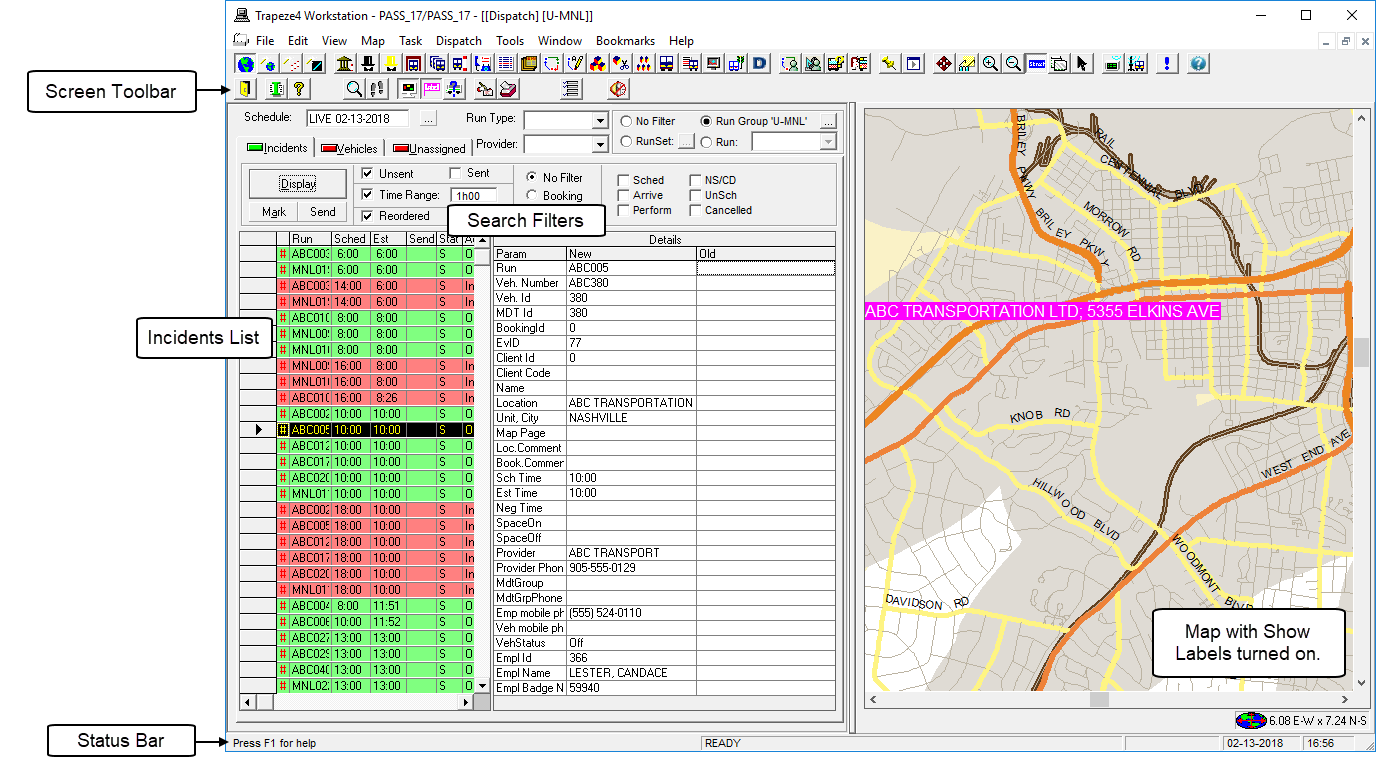
In Dispatch, the bulk of a dispatcher’s work is performed on the Incidents tab.
- New
- The most current information for the event.
If nothing has changed for the event, information is only shown in this column.
- Old
- The schedule history (old information) for any event that has been changed AFTER it
has been dispatched to a driver.
For example, if the trip was edited, rescheduled to a different run, or canceled after it was dispatched.
If the Client Id and Name is highlighted in a specific color then the client has a special client alert status.
A real-life example of using the Incidents tab would be if a trip had been moved from run 102 to run 114 and the trip was already dispatched to driver 102 before the rescheduling occurred.
After this change, incidents are created for both of these runs and you must communicate the schedule change to both drivers (102 and 114) so that they can adjust their itineraries.
When you select the incident on either run, the New column shows the updated information while the Old column shows the old information. The areas affected (run information) are highlighted in red.