
Accessing System Administrator Tools
System administrator tools, such as Context Properties and Security Permissions, are accessed using a different port than the one used by the Service Infractions module.
Before you begin
Procedure
-
In a web browser window, go to the IP address used by the PassEligibility
Service.
The address should either be a URL (for example, www.trapezegroup.com) or it should use the http://<IP address>:<port number> format.Typically, the address will be localhost:58000. This is defined in the *.profile file used for Service Infractions (typically localhost.profile).
<computers>
    <computer name="localhost">
      <documentation>This is the only computer so we can use a generic localhost name.</documentation>
      <servers>
        <server id="Primary" port="58000"/>
      </servers>
    </computer>
  </computers>
If you are using a local host, you should also be able to find the port number in the Trapeze6 Service Shell.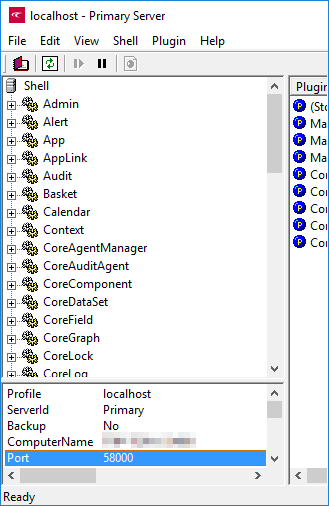
- Type your login name.
- Type your password.
- Click Login.