
Copying Waits and Travels
You can copy travels from another sign-up period and service group.
-
On the Travels screen toolbar, click the Copy
Waits and Travels button:
 The Copy Waits and Travels dialog appears.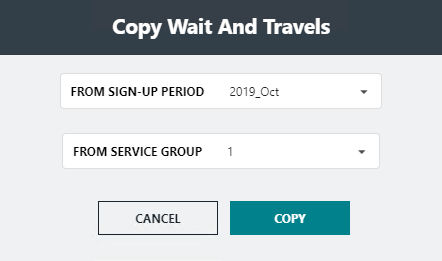
- In the From Signup Period list, select the sign-up period from which you want to copy.
-
In the From Service Group list, select the service group
from which you want to copy.
Note: Only options from the current agency in the context are shown in the lists. BlockBuster does not support copying from an agency different from the agency in the context.
-
Click Copy.
If there are waits and travels in the current context, a message appears asking if you want to overwrite them. If you click Yes, the system deletes the existing waits and travels and replaces them with the copied waits and travels. If you click No, the Copy procedure is stopped.