
Changing Assignees of Work Orders
You can change the assignee of a work order using the Assign dialog.
- Search for the work order you want to modify.
-
In the Operations pane of the Details screen,
click Assign.
.The Assign dialog appears.
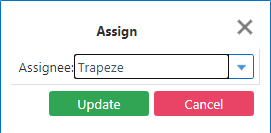
- In the Assignee drop-down list, select the person you want to perform the work order.
- Click Update.