
Selecting Map Layers to Display
The Layer Configuration dialog allows you to specify which layer you want displayed on the map.
-
Click the Layer Configuration button on the map toolbar:
 The Layer Configuration dialog appears.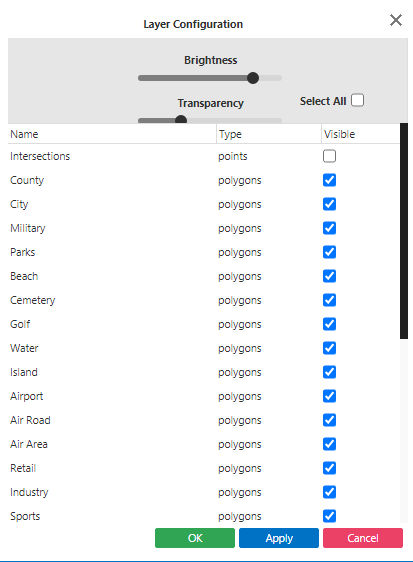
- Select the Visible check box of the layers you want displayed on the map.
- Optional: Adjust the appearance of the selected layers with the Brightness and Transparency sliders.
- Click Apply, and then click OK.