
To use the run times of an existing run time interval of another pattern in the same
direction, replicate the interval.
You must first create or have at least two existing run time records for a specific pattern
and interval. The patterns do not have to exactly match but must use the same node
abbreviations.
-
On the Run Times tab, select the run time interval from which you want to replicate.
-
Click Edit:
The Edit dialog box appears.
-
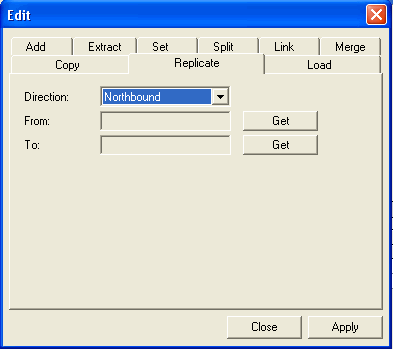
Select the Replicate tab.
-
In the Direction drop-down list, select the direction of the run
time interval from which you want to replicate.
-
Click Get beside the From field.
The pattern and run time information of the interval which you want to replicate
appears in the From box.
-
On the Run Times tab, click the run time interval to which you want to replicate. This is the destination interval.
-
In the Edit dialog box, click Get beside
the To field.
The pattern and run time information of the interval which you want to replicate
appears in the To box.
-
Click Apply.
The destination interval is updated with the replicated run times of the interval from which you replicated.