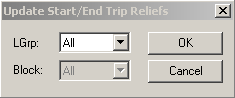
The Update Start/End Trip Reliefs dialog box is another updating
feature for reliefs. It contains the same fields as the Update Relief
Events dialog box.
Some transit sites use this feature to extract their blocked trips and to identify the
start and end nodes of a trip as relief points.
Note:
Do NOT select the Update Trip Relief Events option when preparing for runcutting unless
your transit site uses this method in identifying relief points.