
Accessing Blocking Parameters
The blocking parameters can be changed at any time while you are blocking.
-
On the Blocking tab, click .
The Blocking dialog box appears.
-
Click Parameters at the bottom section of either the
Automatic or Manual tab.
The Blocking Parameters dialog box appears.
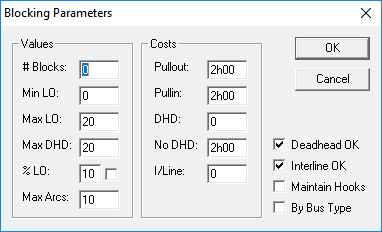
The parameters change dynamically as you type new values in the dialog box. In other words, the parameters that you set in the Blocking Parameters dialog box override whatever values you may have set in the Properties dialog box.