
Changing Costing Constants
You can set a new value for a selected costing constant within its specified Minimum and Maximum values.
-
On the Runs tab, perform one of the following steps:
- Click .
- Click Costing Constants:

The Costing Constants dialog box appears.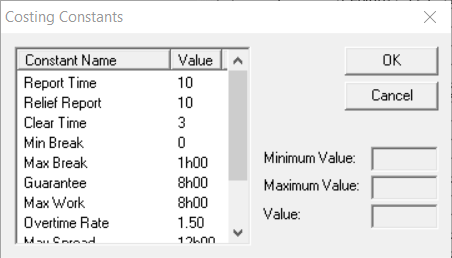
-
In the left frame of the dialog box, select the constant whose value you want to
change.
The Minimum and Maximum values of the selected constant appear in the appropriate fields.
- In the Value field, type the new value within the range Minimum and Maximum values.
- Click OK.