
Updating Costing of Runs
The Update Costing stamps costing values to each legal run in the Cut Pieces grid.
It should be performed:
- After you have initially cut your runs.
- After you have altered an original run or made any Union Contract changes to improve your runcuts.
- Before you run reports or other FX run interfaces that require run information.
- Before you attempt any rostering (if applicable to your transit site).Note: Illegal runs do not have run types associated with them and therefore have a run type number of zero (0). These runs do not have proper costings stamped on them.
-
Click or click the Update Costing button:
 The Update Costing dialog box appears.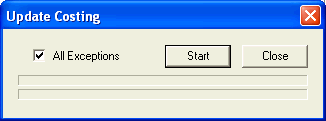
- To update all your exceptions, select the All Exceptions check box.
-
Click Start.
The bar at the bottom of the dialog box shows the progress of the updating process.
- Click Close.