
Viewing The Column Summary
The Column Summary shows the average and total values of a selected column including the number of runs and rows selected.
- Select a column in the Cut Pieces grid.
-
Click .
The Column Summary dialog box appears.
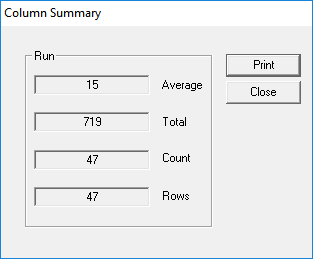
The sample data shows the average and total values of the Run column.
- Optional: To print the data, click Print.
- Follow the steps a printing procedure
- Click Close.