
Viewing the Trip Summary
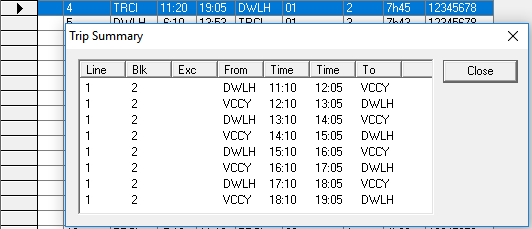
The Trip Summary shows you all the trips of a selected run or block piece. The trips displayed only relate to the selected piece and where it may be cut at a relief point.
- On the Cut Pieces or Uncut Pieces grid, select a run or a block piece.
-
Click .
The Trip Summary dialog box appears with the list of trips of the selected run or block.
- Click Close.