
Moving Unblocked Trips to Blocked Trips Grid
You can move trips from the Unblocked grid to the Blocked grid in the Blocking screen:
- In the Blocking screen, select the trips on the Unblocked grid that you want to move to the Blocked grid and right-click.
-
From the right-click menu, select Move Trips.
The Move Trips dialog box appears.
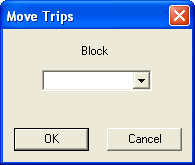
- In the Block box, type a block number.
-
Click OK.
The Move Trips dialog box is also used to move trips from one block to another in the Blocked grid.