
Moving Trips to Another Block
The Move Trips feature allows you to move a number of trips from one block to another in the Blocked grid.
- In the Blocked grid, select the trips that you want to move to another block.
-
Click .
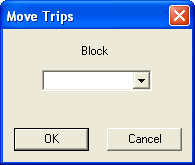
- In the Block box, type the block number to which you want to move the highlighted trips or select it in the drop-down list.
-
Click OK.
The selected trips are shown with the new block number.