
Testing Trip Combinations
Test trip combinations within the Blocked or Unblocked trips grids with the Test Hook dialog box.
Note: The results of the test depend on the properties you set for Min/Max Layover and
Min/Max Deadhead.
-
Click .
The Test Hook dialog box appears.
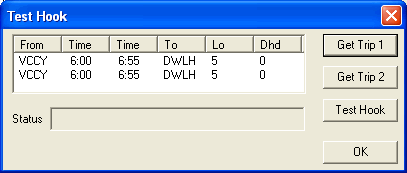
- From either grid on the Blocking tab, select the trip you want to test.
-
In the Test Hook dialog box, click Get Trip
1.
The selected trip from the Unblocked grid appears in the dialog box.
- From either grid on the Blocking tab, select another trip to which you want to link or hook Trip 1.
-
Click Get Trip 2.
The second trip appears in the grid under Trip 1.
-
Click Test Hook.
A statement appears in the Status field advising you if the combination works. If the trips can possibly hook together, the statement, "Hook allowed" appears. If the combination is invalid, an error message appears such as "Invalid max layover." See the example discussed for an illustration of this message.
- Click OK.