
Saving Blocks
The Save Blocks feature allows you to save your current blocking solution and be able to reload it after trying other blocking solutions.
-
On the Blocking tab, click .
The Save Blocks File dialog box appears.
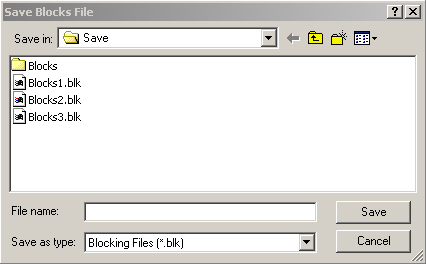
- If you have not set the location for your blocking data in Properties, select a file location on your computer or network.
- In the File Name field, type the file name you want to assign the file.
-
Click Save.
The file is saved with a blk file extension.