
Loading Blocks
The Load Blocks feature allows you to retrieve a saved block file.
-
On the Blocking tab, click .
The Load Blocks File dialog box appears.
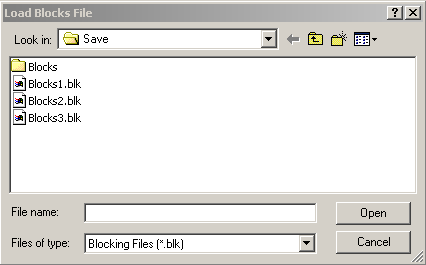
- Select the block file you want to load.
-
Click Open.
The Match Trips dialog box appears.
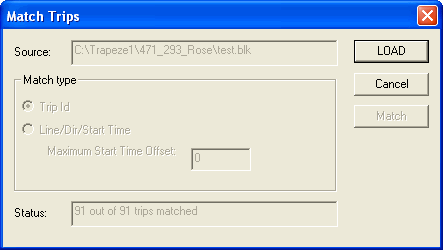
Trips are considered matched if their lines, patterns, services and service groups, exceptions, and start times are the same.
If all the trips are matched as shown in the Status field, the fields in the Match type frame appear shaded.
If some trips are not matched as shown in the Status field, the fields in the Match type frame are activated.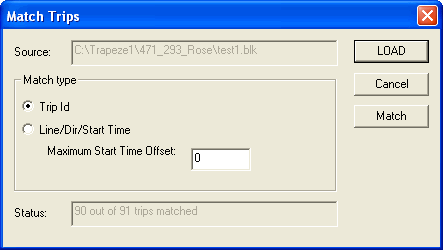
-
Depending on the data you require, perform one of the following steps:
- To load files with the same context as the current context, leave the Trip Id option selected.
- To load files from a different context, for example, different sign-up period, click Line/Dir/Start Time.
- In the Maximum Start Time Offset field, type an appropriate value.
- Click Match.
- If the Status field indicates all trips are matched, click Load.
The system ignores trips in the block file that are not in the database. The trips that are in the database but not in the file are unblocked.