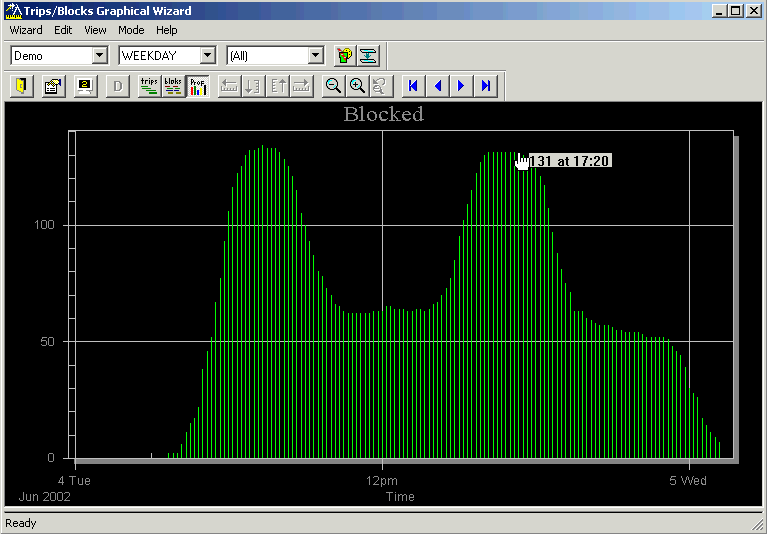
Profiling provides a graphical representation of the blocked and unblocked trips. It
helps you determine your vehicle requirements by time of day especially during the peak periods.
The Block profile graph is also known as a histogram.
On the Blocking tab, click Blocking > Profile.
The Trips/Blocks Graphical Wizard dialog box appears and
displays a histogram.
The graph shows the number of vehicles (vertical y-axis) and the time of day
(horizontal x-axis). The humps represent the service peak periods during the workday.
When you click a line, the number of vehicles required to operate the service at that
specific time during the day appears. The example shows 131 at 17:20.