
Monitoring the Progress of MapMaker Processes
When you load, build, or export map data, you can monitor the progress of the process on the MapMaker Info tab. You can also set the frequency with which MapMaker monitors processes.
-
After starting a load, build or export in MapMaker, click the Info tab.
The Info tab shows the process progress. The Progress bar shows information about the current process. The Log area shows milestones in the process.
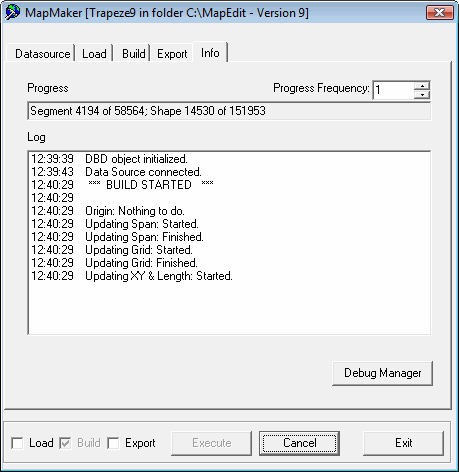
- Optional: If a scroll bar appears in the Log area, click the scroll bar to view more process information.