
Opening MapMaker
Start MapMaker to load base map data from a variety of Geographic Information System (GIS) formats into the Trapeze map database.
-
Do one of the following steps:
- Double-click the MapMaker shortcut on the desktop:
 .
. - Start the MapMaker application (MapMk41.exe) in the folder.
A dialog shows MapMaker license information and lists GIS formats supported by your MapMaker license.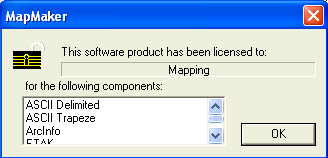
- Double-click the MapMaker shortcut on the desktop:
-
Click OK.
The MapMaker screen appears.