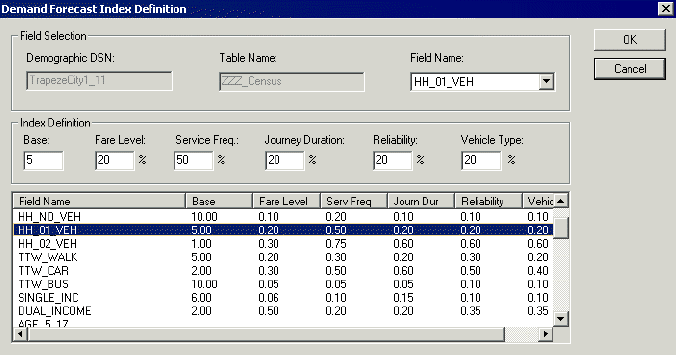
You can define the demand forecasting indexes using the Demand Forecast Index
Definition dialog box.
-
In the Demographic tab of the PLAN Options
dialog box, click Demand Forecast Def.
The
Demand Forecast Index Definition dialog box
appears.
Note: You must first select a demographic data table before the
Demand Forecast Def button becomes
available.
-
Type the base and elastic demand forecast indexes.
-
Do one of the following steps:
-
In the Index Definition frame, type the appropriate base index
value and elastic index values into each of the fields.
For the elastic indexes, type the value as a percentage out of 100. The values that
you type are based on local decisions made at your site.
-
Click OK.